
Practical guide
High-fidelity infographics & small text
Use built-in 2× upscaling to give the tracer more samples while keeping the original display size.
Problem
Small labels and one-pixel strokes leave little geometry for a tracer to follow. Kurviq can upscale the raster internally, trace the larger coordinate system, and still emit the original width and height on the SVG.
Command
npx kurviq --input infographic.png --output infographic.svg \
  --upscale 2
Before and after
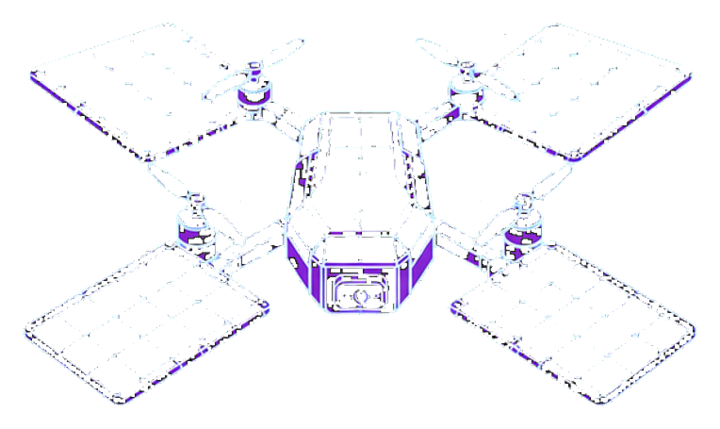
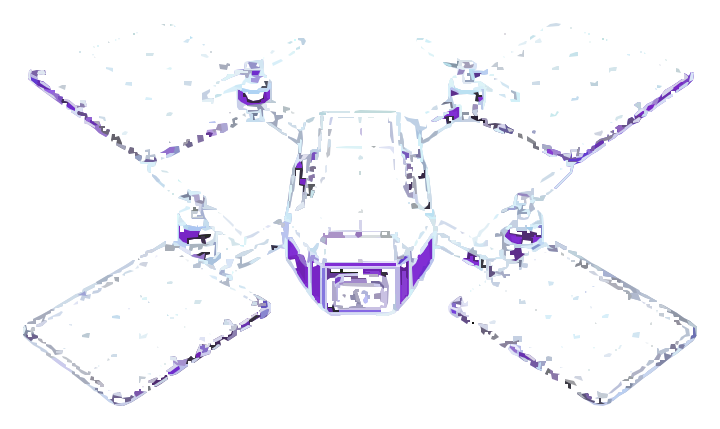 PNG SVG
 Solar Drone Blueprint
Fine cyan construction lines test precision, symmetry, and crisp technical geometry.
On this blueprint-style drawing, --upscale 2 keeps hairline struts and small dimension marks intact instead of merging them. Upscaling improves the geometry available to the tracer; it does not create a selectable text layer or recover fonts.
Workflow
1. Start with 2×
Two-times upscaling is the useful default for small labels and line work. The SVG viewBox carries the denser coordinates while width and height remain tied to the source image.
2. Review at the final display size
Zoomed-in paths can look impressive while becoming muddy when reduced. Compare the raster and SVG at the size the infographic will actually be used.
3. Avoid 3× by default
A 3× working image has 2.25 times as many pixels as 2×. It costs more CPU and commonly produces more paths and larger files, while also giving the tracer more compression noise to follow. Use it only after a measured comparison shows a real gain.
Flag reference
| Flag | Value | Why it is here |
|---|---|---|
--upscale | 2 | Resamples before tracing and preserves the source display dimensions. |
--mode | polygon (default) | Keeps corners and diagram geometry crisp; switch to spline for mostly rounded artwork. |
--path_precision | 2 (default) | Balances coordinate detail and file size. |
--filter_speckle | 2 (default) | Keeps small details while removing isolated noise. |